Create interfaces for data retrieval & control functionality
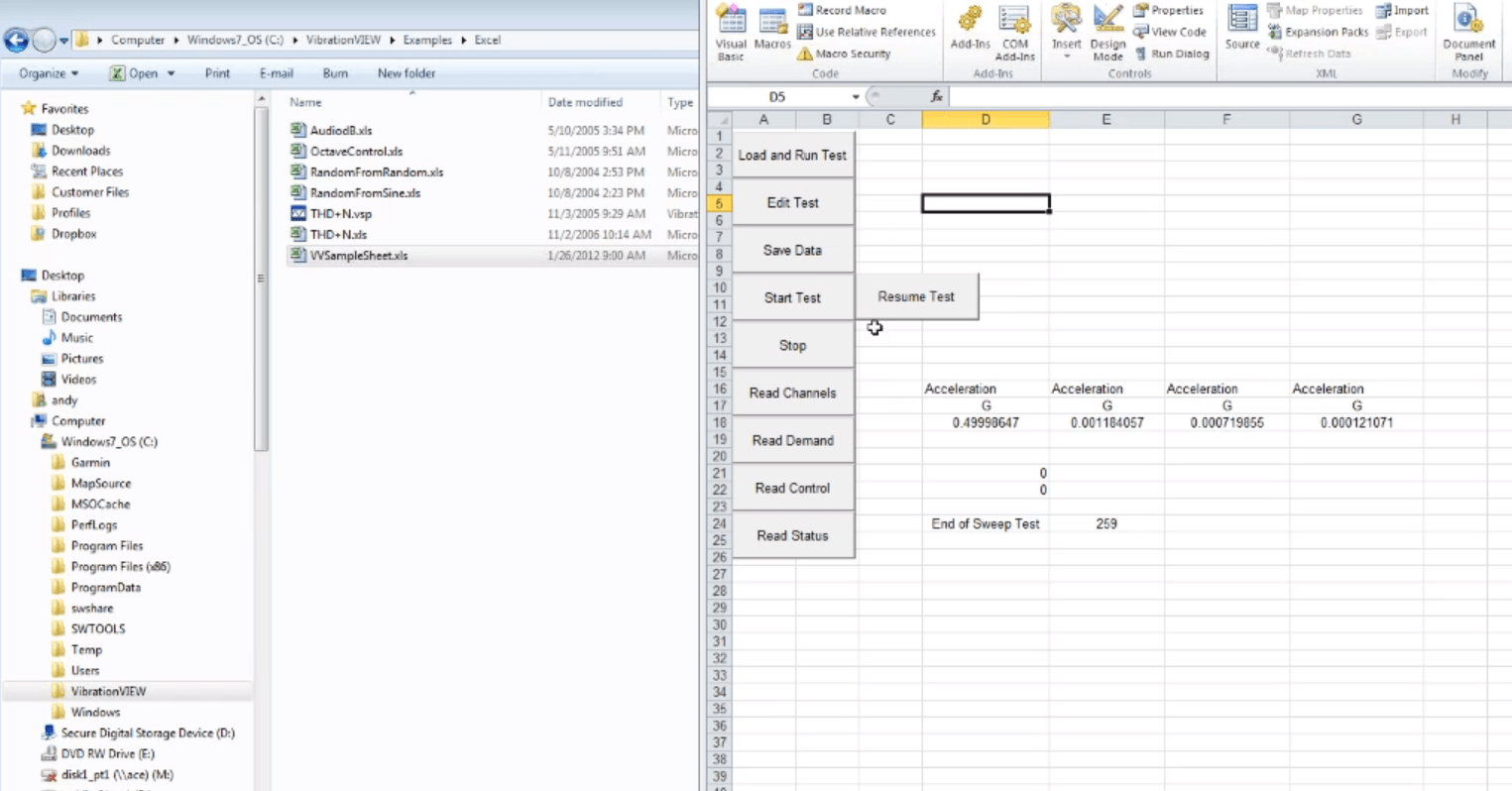
Use the Automation interface to integrate your vibration controller into your lab management system. Control your test, evaluate controller status, and graph data from LabVIEW, Excel, and other programs, including custom applications.
With VibrationVIEW’s Automation interface, access the functionality of an application through an external call or application and pass information between applications. Automation commands can be written in various programming languages, including Python, Visual Basic for Applications (VBA), C#, and C++.
The Automation interface can also include a library of available commands for a specific application.
Automation with VibrationVIEW
GitHub Repositories
Vibration Research developers store, share, and work with others on GitHub. Vibration Research’s profile includes example code for Python, VBA, C#, C++, and file-based applications.
Custom Automation
For 20+ years, Vibration Research has actively supported custom automation processes. VibrationVIEW customers can use programming to access the functionality of third-party applications or pass information between applications. They have used VibrationVIEW Automation to integrate vibration controllers into their lab management systems for a more fluid and productive workflow.
Operating Systems
VibrationVIEW can be installed as a native 64-bit application or a native 32-bit application. You must install the version of VibrationVIEW appropriate for your application.
VibrationVIEWx64 (64 bit) requires 64-bit Windows operating system and VibrationVIEWx64 (64 bit) Automation interface only works with 64-bit applications
VibrationVIEW (32 bit) requires a 32-bit or 64-bit Windows operating system and VibrationVIEW (32 bit) Automation interface only works with 32-bit applications
If you prefer, skip the complexity of Automation and use the simple file-based interface. Since the 1990s, VibrationVIEW customers have had the option to remotely control the software with an ASCII file. Throughout the decades, Vibration Research has expanded its automation capabilities based on customer needs via Microsoft tools (formerly ActiveX). Interfaces are sealed, so applications written for VibrationVIEW 20+ years ago should work with the current software version.
Applications
Python, C++, C#, VBA applications
File-based messaging control
Excel integration
LabVIEW integration
SRTD automation with JSON profile
Web Server (VR9603) as HTTP interface
Flask-based REST API
Custom applications
And more
Python Interface
With a Python interface to VibrationVIEW, Vibration Research joins a vast ecosystem of pre-built libraries with ready-to-use functionality. Python excels at automating repetitive tasks, and it is designed to be highly readable and intuitive.
Test automation and control (start, stop, pause, resume)
Data acquisition and analysis (vectors, report fields, time history)
Window management
Channel configuration and calibration
Input/output monitoring
Transducer Electronic Data Sheet (TEDS) support
Transducer database integration
Virtual channel management
Recording control
Specialized test controls (e.g., sine sweep functions)
Multi-threaded application support (Flask, web services)
Web Server
With the Web Server feature, you can monitor a system’s status or start/stop a test from anywhere on a mobile device or web browser. You can automate emails to send at the end of the test or view the live test with the Remote Interface option.
Remote Control
With the remote control options, you can use the remote terminals to connect your controller to the operator station. Options include VR9601 (Digital Remote I/O) and VR9602 (Digital Remote I/O with Analog Inputs).