Record Vibration Test Data

With RecorderVIEW, there’s no need to buy extra equipment to record vibration test data. The VR controller hardware can function as a data acquisition system while performing vibration test control.
In addition to the typical RMS time-history output, RecorderVIEW collects sample-for-sample time-history data, recording the measurements directly to the PC’s hard drive.
Waveform Length
Collect waveforms of up to 4 billion samples per channel. Waveforms can be over 22 hours at a 52,000 Hz sampling rate, over 100 hours at a 10,000 Hz sampling rate, and over 1 year at a 100 Hz sampling rate.
RecorderVIEW Features

- Access all graphs types available with the standard control software packages
- Configure the test schedule to start recording at test startup or to record only a section of the test
- Record multiple channels, the control input, and/or the output
- Generate an analysis playback profile with demand and abort traces
Integration with Field Data Replication
Use the Field Data Replication VR9400 software to proceed directly from field recording to reproducing the measurements in the lab (optional). No additional calibration or translation steps required.
Integration with Random
Collect field acceleration measurements and automatically convert the time waveforms into a random spectrum using the Random Import VR9204 function (optional).
Remote Start and Stop
Use the Wired Remote VR9601 or RF Wireless Remote VR9609 options to trigger waveform recordings based on an external event, a toggle switch, or with wireless remote control (optional).
VR Controllers
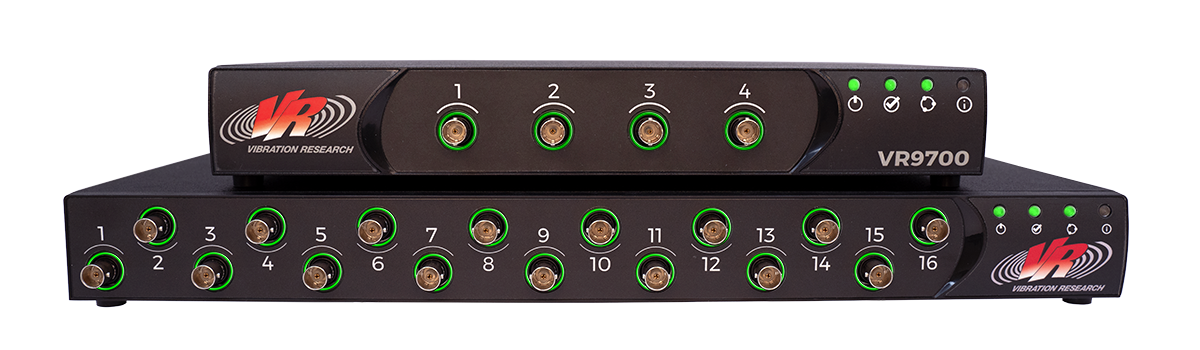
Stack any combination of the VR9700, VR10500, and ObserVR1000 for shaker control or live analysis and rearrange system(s) as needed.
Hardware Features
- Up to 256kHz sample rate (for select units)
- Low noise floor
- 24-bit resolution inputs
- Built-in accelerometer constant current supply and TEDS transducer interface
- DC offset measures to true DC with constant current type accelerometers

Why Record?
Test recording is an industry best practice for traceability and troubleshooting. Time-history data demonstrate that required vibration environments were achieved. In industries that require extensive documentation, such as aerospace, the data support qualification compliance.
- Confirm test completion and consistency
- Identify deviations between test and specification
- Create summary reports and documentation
Editing Recorded Waveforms
The RecorderVIEW package includes EditVIEW for editing test data, such as cutting “quiet” periods. For advanced time-waveform editing, easily export/upload the .vfw file to the ObserVIEW software.
The .vfw can be also be imported into MATLAB for manipulation.
ObserVIEW Analysis Software
Cut, crop, or copy/paste sections of data, analyze data with time and frequency graphs, define analysis ranges and math traces, and much more.
- Time waveform editing
- Resampling and filtering
- Frequency-domain analysis
- Multimedia sync
- Test profile development

Playback & Analysis
Record vibration test data from any control I/O unit with RecorderVIEW for playback or post-process analysis, or use a secondary VR I/O unit as a reference for live or post-process analysis.
- Observe a live stream of data with the Live Analyzer software
- Configure shaker control with a second instance of VibrationVIEW with the Sine Data Reduction software